Offline Mobile App for Field Sales: When Does Your Team Need One?
An offline mobile app for field sales saves orders and visits without signal and syncs them later. When you need one, how it works and what to ask.
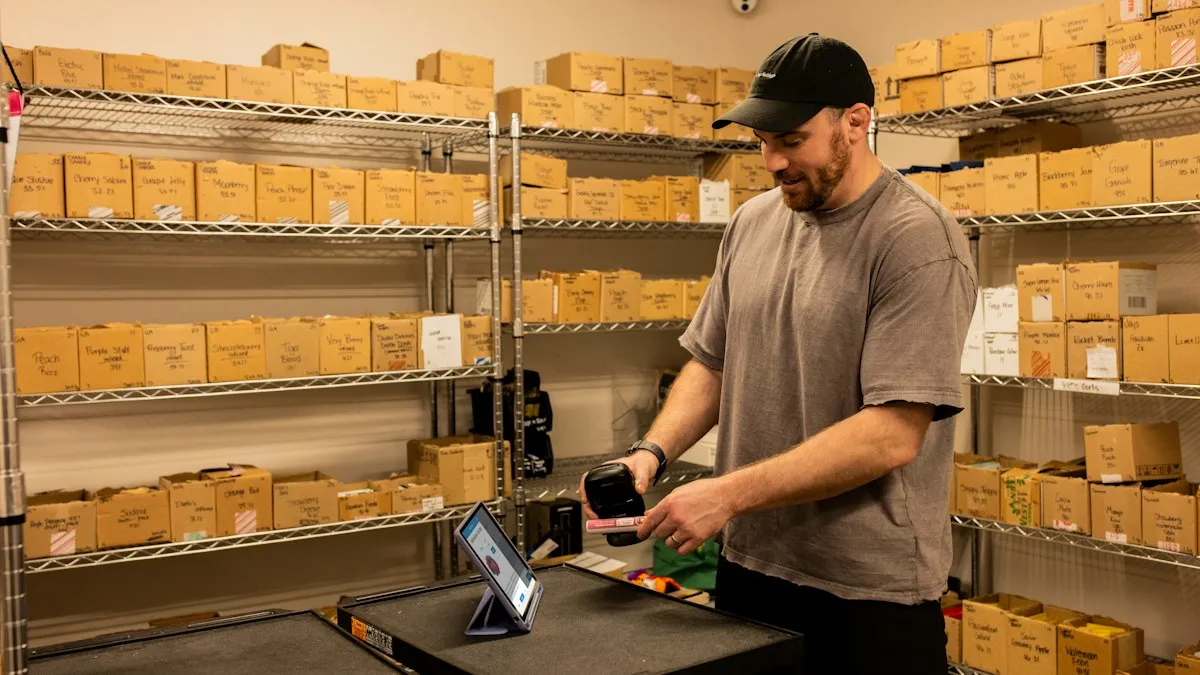
Your salesperson walks into a corner store, a hardware shop or a farm outside town. They open the app to take an order and the spinner starts turning: no signal. So they do what they always do, jot everything in a notebook or a WhatsApp message and enter it into the system later, if they remember. An offline mobile app for field sales exists so that moment stops being a problem: the order is recorded anyway, with no connection, and sent on its own when the signal returns.
Not every sales team needs one. This guide helps you work out whether yours does, how it works under the hood and what to ask for before anyone starts building.
What is an offline-capable app, really?
A typical web app depends on the internet for everything: every time the salesperson taps a button, the screen asks the server for data. With no connection, there’s nothing to show.
An offline app works differently. It stores on the phone or tablet what the salesperson needs to do their job, and records there what they do. The connection stops being a requirement for working and becomes just the channel for syncing.
In practice, a salesperson can do the following without signal:
- look up their client list and each client’s history;
- see the catalog and the prices that apply to them;
- take an order, a quote or a visit report;
- take photos and add notes;
- view their route for the day.
When the connection returns, everything recorded travels to the central system with nobody retyping it.
When does your team need one?
Data coverage doesn’t fail the same way everywhere. These are the cases where it tends to pay off:
- Routes outside urban areas. Rural zones, mountains or towns where coverage is patchy.
- Visits inside buildings. Warehouses, basements, malls or factories where signal drops behind thick walls.
- Teams on limited data plans. If every lookup eats the salesperson’s data, working locally also saves money.
- Sales that are lost if the order isn’t taken on the spot. If the client decides right there and the rep can’t record it, the sale gets complicated.
- High-volume days. The more visits, the more chances the signal fails at a bad moment.
If your team mostly works from offices or shops with good internet, a well-built web app is probably enough. There’s no need to complicate what doesn’t need it.
What if you already use a web app?
Many companies start with a page that works well in the office and badly on the road. Some web apps can store information temporarily in the browser, but that ability has limits: little space, behavior that varies by phone, and the risk of losing data if the user clears the browser.
If fieldwork is central to your operation, the safest path is to design for offline mode from the start rather than bolting it on later as a patch. If you’re torn between the two routes, our comparison of mobile app or website gives you criteria to decide. For fixed workstations, like a checkout counter or a warehouse, our article on business software that works offline may also help.
How does syncing avoid losing or duplicating data?
This is where an offline app earns or loses its reputation. There are three basic pieces:
- Safe local storage. What the salesperson records is saved in a database inside the phone, so an unexpected app crash or a dead battery doesn’t take the day’s work with it.
- An ordered queue of pending items. Each action is logged with its date and time and waits its turn. If the signal comes back only partially, sending resumes where it stopped, without repeating what already went up.
- Conflict rules defined in advance. If two reps offered the last unit of a product, or someone changed a price while the rep was offline, you need to decide what happens: first to arrive wins, the case is flagged for review, the rep is notified. What matters is that the rule exists and nobody finds out by surprise.
It also helps if the salesperson can see on screen what is pending and what has arrived. That clarity prevents the classic question: “did my order go through or not?”
What data should always be on the phone?
You don’t need to download the whole company to a phone. The sensible approach is to carry the minimum needed to work:
- clients on today’s and this week’s route;
- catalog with prices and reference stock levels;
- the discount rules the rep is allowed to apply;
- the client’s recent orders and visits.
There’s one important nuance with stock: offline, the number the rep sees may be out of date. A good design makes that clear (“stock as of 8:00 a.m.”) and validates the quantity on sync, instead of promising something the warehouse no longer has. It’s the same principle as syncing inventory between systems: every system must know how fresh its data is.
What about security if the phone is lost?
Ask this before starting, because the phone carries commercial information about your clients. The minimum a serious project should cover:
- access with a user and password, or the device’s fingerprint or face recognition;
- encrypted local data;
- the ability to remotely lock or wipe the data on a lost device;
- role-based permissions: not every rep should see every client or every price.
Security isn’t added at the end. It’s defined together with the app’s logic, from the design stage.
What should you ask whoever builds the app?
A short list for evaluating any proposal, in-house or from a third party:
- Which exact actions work offline and which don’t?
- How much data is stored on the phone and how is it refreshed?
- What happens if two people edit the same thing while offline?
- How does the rep see what is pending to sync?
- How does it connect to my current invoicing or inventory system?
- What happens if the rep switches phones or loses theirs?
- Does it run on Android and iPhone, and how is the app updated?
Concrete answers are a good sign. Vague answers, or a promise that “everything works offline,” usually mean the topic wasn’t thought through.
How much does an offline app cost?
It depends on factors you only know after reviewing your case: how many types of data it must handle (orders, quotes, photos, payments), how many screens it has, which systems it must connect to, whether it must run on Android, iPhone or both, and which sync rules you need. Offline mode adds design and testing work compared with an always-connected app, which is why it pays to decide whether your operation truly requires it. Be wary of anyone who gives you a fixed price without understanding how your team works on the road. Mobile apps are sized after understanding the operation, not before.
An exercise before you decide
Ask two or three salespeople to count, for one week, how many times they lost signal with a client in front of them and what they did at that moment. Note how many orders ended up in a notebook or a message, and how long it took to enter them into the system. With those numbers you’ll know whether the problem is small or whether it’s costing you sales and hours of data entry.
If the problem turns out to be big, let’s talk in a free first call: we’ll review how your team works in the field, define what must keep working without a connection, and you’ll leave with a real estimate, not a generic promise.